Built with Rust · AGPL-3.0

Autonomous AI Penetration Testing Agent

Sekura runs full security assessments against your web applications — from reconnaissance through exploitation to deliverable reports — without manual intervention.

Point it at a target. Get a pentest report.
curl -fsSL https://sekura.ai/install.sh | bash
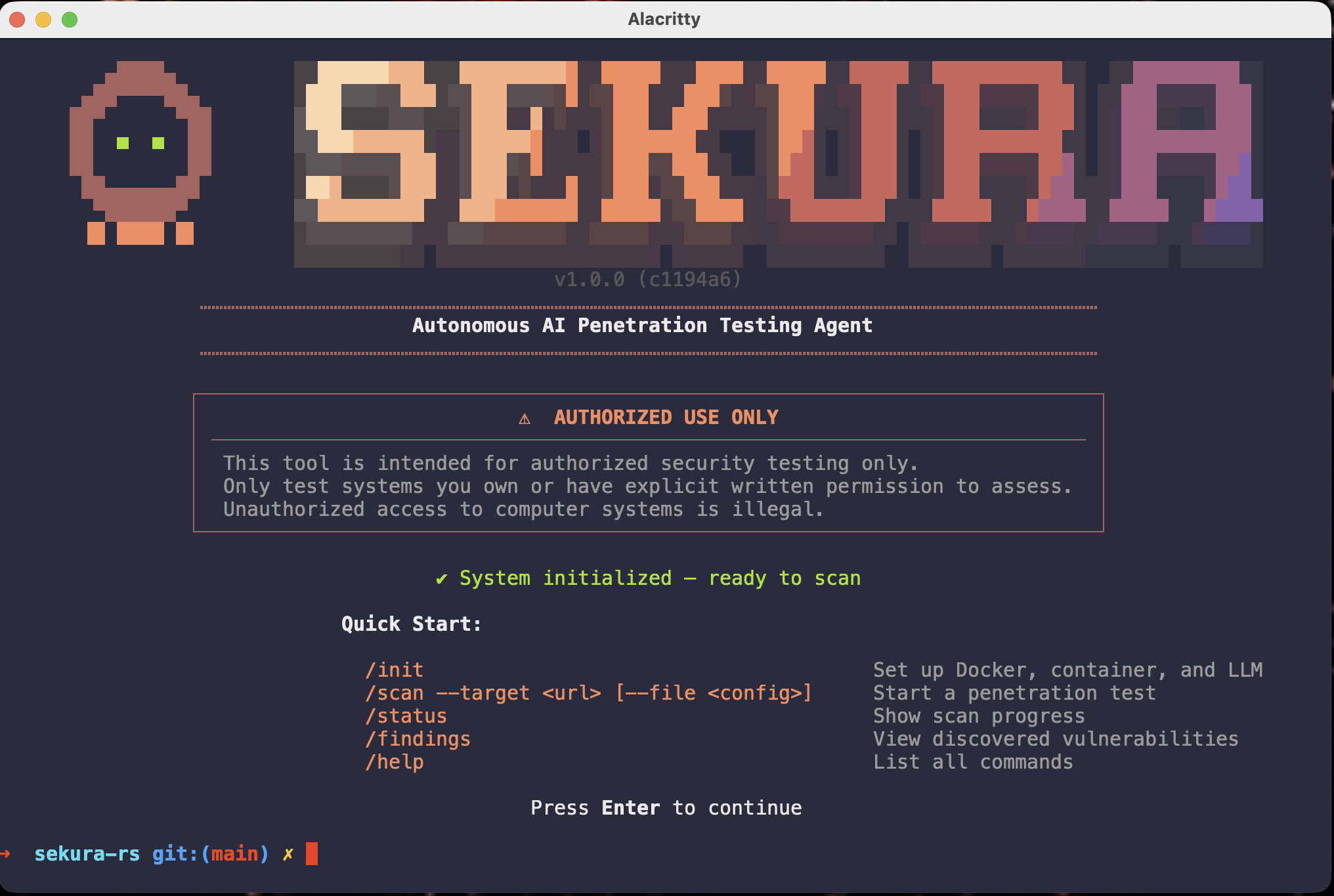
Sekura Agent - Autonomous AI Penetration Testing REPL

How It Works

Sekura orchestrates a 5-phase security assessment pipeline, combining traditional penetration testing tools running inside a Kali Linux container with AI-driven analysis and exploitation.

1

White-Box Analysis

Reads your source code, maps architecture, identifies entry points, data flows, sinks, and security controls.

2

Reconnaissance

Automated tool execution across network, transport, session, presentation, and application layers with dependency awareness.

3

Vulnerability Analysis

AI agents analyze combined white-box and black-box evidence across injection, XSS, authentication, SSRF, and authorization flaws.

4

Exploitation

Five concurrent exploit agents attempt proof-of-concept attacks using the container's full Kali toolkit. Every attempt is logged.

5

Reporting

Generates executive summary, per-category evidence reports, full markdown assessment, and styled HTML report with CVSS scores.

Features

Sekura doesn't just run tools — it thinks about your application. AI agents analyze source code, interpret tool output, plan exploitation strategies, and synthesize findings.

AI-Native Architecture

Powered by the broadest LLM support in the industry with real-time cost tracking and hot-swappable providers.

  • 85+ models across 20+ providers
  • OpenAI-compatible routing for any provider
  • Local model support via Ollama / LM Studio
  • Real-time cost tracking with configurable budgets
  • Hot-swap providers mid-session

Source Code Analysis

Point Sekura at a repository and it reads the code before scanning, feeding intelligence directly into vulnerability analysis.

  • Classifies files by security relevance
  • Extracts architecture patterns
  • Maps data flows from sources to sinks
  • Identifies auth mechanisms and controls

Authenticated Scanning

Handles authentication so scans test what's behind the login.

  • Automatic web auth with CSRF token extraction
  • TOTP support for 2FA-protected apps
  • Cookie injection into every scanning tool
  • Form-based, SSO, API key, and HTTP Basic

Professional Reporting

Every scan produces a structured set of deliverables ready for stakeholders.

  • Findings with CWE IDs and CVSS scores
  • Executive summary for stakeholders
  • Per-category exploitation evidence
  • Styled HTML report for browser / PDF export

Scan Configuration

Fine-grained control over what gets tested and how.

  • Quick, Standard, and Thorough intensity levels
  • Layer selection with --layers flag
  • Scope rules: --rules-avoid, --rules-focus
  • JSON config files for repeatable scans

Containerized Tooling

All scanning tools run inside a purpose-built Kali Linux Docker container. No tool installation required.

  • NET_RAW and NET_ADMIN capabilities
  • Host network mode for direct target access
  • Automatic image build and cleanup
  • Complete Kali toolkit available

Full-Stack Scanning

Reconnaissance techniques span every OSI layer, organized into topologically sorted execution groups with port and service dependencies.

Network Layer

Host discovery, traceroute analysis, ICMP probing, network mapping

Transport Layer

TCP SYN scan, UDP scan, banner grabbing, port fingerprinting, masscan

Session Layer

Session management analysis, cookie security testing

Presentation Layer

TLS/SSL analysis, cipher enumeration

Application Layer

Nikto, gobuster, dirb, sqlmap, whatweb, wfuzz, HTTP header analysis, technology fingerprinting

Exploitation Layer

Metasploit auxiliary modules, EternalBlue checks, SSH/FTP/SMB vulnerability scanning

Interactive REPL

Sekura runs as an interactive terminal application with a full command set. Real-time progress bars show current phase, active technique, elapsed time, cost, and finding count.

sekura> /init # Set up Docker, container, and LLM provider
sekura> /scan # Start a penetration test
sekura> /status # Show scan progress, phase, cost, findings
sekura> /stop # Cancel a running scan
sekura> /findings # View vulnerabilities with severity filtering
sekura> /model # Show, set, or test LLM provider and model
sekura> /report # Report dashboard with all deliverables
sekura> /container # Manage the Kali Docker container
sekura> /config # View or set defaults
sekura> /history # View scan history
sekura> /serve # Start the REST API server

Five Severity Levels, Five Verdicts

Findings are classified by severity (Critical, High, Medium, Low, Info) and validated by verdict. Only Exploited and Blocked findings appear in final reports. No noise.

Exploited

Vulnerability confirmed with proof via public interface

Blocked by Controls

Valid vulnerability mitigated by WAF or runtime protections

False Positive

Initial detection not confirmed on live testing

Potential

Code analysis suggests vulnerability but live test inconclusive

Out of Scope

Requires internal access, not pursued

REST API

Integrate Sekura into CI/CD pipelines or custom dashboards. SQLite-backed persistence with webhook support for scan completion notifications.

# Endpoints
POST /scans # Create a new scan
GET /scans # List scans with pagination
GET /scans/{id} # Get scan details
GET /scans/{id}/findings # Retrieve findings
POST /scans/{id}/stop # Stop active scan
DELETE /scans/{id} # Delete scan

Quick Start

A single compiled Rust binary. No Python virtual environments, no Node.js dependency trees, no JVM warmup.

INSTALL
# One-line install (macOS & Linux)
curl -fsSL https://sekura.ai/install.sh | bash
# Or build from source
cargo build --release

# Launch the interactive REPL
./target/release/sekura

# Inside the REPL:
/init                                    # Set up Docker + LLM
/scan --target https://your-app.com      # Start scanning
/findings                                # View results
/report                                  # Full report dashboard
# Or run headless:
sekura start \
  --target https://your-app.com \
  --repo ./your-app \
  --provider anthropic \
  --intensity standard
# Or with a config file:
/scan --file configs/your-app.json

Supported Targets

Designed for web application penetration testing. Works with any HTTP/HTTPS target. Pre-configured scan profiles included for DVWA, OWASP Juice Shop, and crAPI.

Modern Web Applications

React, Vue, Angular frontends with API backends

Server-Rendered Apps

PHP, Rails, Django, Express and traditional stacks

REST APIs & GraphQL

API endpoints and GraphQL services

Legacy Applications

Applications with known vulnerability patterns

Requirements

Rust 1.75+

For building from source

Docker

For the Kali scanning container

An LLM API Key

Any supported provider — or run locally with Ollama

Built with Rust

Async runtime (Tokio) with concurrent agent execution, compile-time embedded AI provider catalog, and LTO-optimized release builds.

Tokio Async Runtime Concurrent Agents Zero Runtime I/O Lookup LTO Optimized OWASP WSTG Mapped Full Audit Trail

Ready to automate your pentesting?

Sekura is intended for authorized security testing only. Only test systems you own or have explicit written permission to assess.

Request a Demo